
A sign-up sheet for 1 event, not a school run
Most carpool sign-up templates are built for school runs: the same families, the same route, every weekday. A wedding, a festival, a reunion, a conference or a team offsite is different. It happens once, people may not know each other, and there are 2 trips: everyone arrives at about the same time, but they leave at different times. The sheet below is built for that.
Printable carpool sign-up sheet
Print it for a sign-up table at a meeting, a rehearsal or a club night, or send it around the office. Press Print for a clean copy with 12 rows per list.
Carpool sign-up sheet (printable)
- Event, date and venue:
- Sign-up closes on:
- Coordinator (name, how to reach them):
- Leaving from: a neighborhood or a town, never a home address. Direction: there, home or both. Rides home are matched separately, so a driver going both ways can fill in 2 rows.
- Contact: a phone number or email for the coordinator. If this sheet will be posted where people outside the group can see it, leave this column empty and collect contact details privately.
Drivers with free seats
| Name | Leaving from (area) | Direction | Leaving time | Free seats | Contact |
|---|---|---|---|---|---|
People looking for a ride
| Name | Leaving from (area) | Direction | Times that work | Seats needed | Contact |
|---|---|---|---|---|---|
On screen this shows 3 rows of each list; the printed sheet has 12.
Spreadsheet version for Google Sheets or Excel
Use the spreadsheet when people sign up over a few weeks. Each row is 1 person in 1 direction, so a driver going there and back gets 2 rows. The Seats left column works it out for you: the driver’s free seats minus the seats needed by riders assigned to that driver in the same direction.
Carpool sign-up spreadsheet (CSV)
4 example rows (1 driver going both ways, 2 riders) so the formula has something to count. Delete them before you share the sheet. Scroll the table sideways for the Riding with, Seats left and Status columns.
| Role | Name | Leaving from | Direction | Time | Seats | Contact | Riding with | Seats left | Status |
|---|---|---|---|---|---|---|---|---|---|
| Driver | Jordan K. | Oakland | There | 4:30 PM | 3 | jordan@example.com | 0 | Open | |
| Rider | Priya S. | Oakland | There | 4 PM to 5 PM | 1 | priya@example.com | Jordan K. | Matched | |
| Rider | Sam T. | Berkeley | There | Any time after 3 PM | 2 | sam@example.com | Jordan K. | Matched | |
| Driver | Jordan K. | Oakland | Home | 11 PM | 3 | jordan@example.com | 3 | Open |
To open it in Google Sheets, download the CSV and choose File, Import, Upload, or press Copy for Google Sheets and paste into cell A1 of an empty sheet. Excel opens the CSV directly.
- Role: Driver or Rider. Filter by it.
- Leaving from: a neighborhood or a town, never a home address.
- Direction: There or Home. Rides home are matched separately.
- Time: the leaving time for drivers; for riders, the window that works.
- Seats: free seats for drivers, seats needed for riders.
- Riding with: the driver’s name, filled in by the coordinator when a rider is matched.
- Status: Open, Matched, Confirmed or Cancelled.
How to run a carpool sign-up for an event
- Set the dates. Open the sign-up 3 to 4 weeks before the event and close it 3 days before, so there is time to match and confirm.
- Ask drivers first. Riders follow free seats. Your first message should go to people who are driving: “Post your free seats, there and back.”
- Ask for both directions. Every driver gives a leaving time home as well. Nobody stops in the middle of a party to sort out a ride home.
- Riders sign up with an area and a window. “Oakland, any time after 3 PM” is easier to match than an exact address and an exact minute.
- Match by area, then by time. Sort the sheet by Leaving from, then by Direction. Put riders with the nearest driver whose time fits, and watch the Seats left column.
- Confirm 2 days before. Message each car with who is in it and where they meet. Keep a short waiting list, so a cancelled seat goes to the next person.
- Delete the sheet after the event. It holds names, contact details and travel times that nobody needs any more.
Keep contact details off a shared sheet
A sheet that anyone with the link can open is a list of names, phone numbers and travel times. Ask for an area, not an address. Keep the contact column on a tab that only the coordinator can see, or leave it out and let the coordinator introduce people once they are matched. Give edit access to the coordinator only, and turn off link sharing when the event is over.
When a sign-up sheet stops working
A sheet is the right tool for a small group that knows each other. It breaks in predictable places:
- Strangers. People who have never met want to see who is asking to ride with them, and to say yes or no themselves. A sheet leaves that to the coordinator.
- Phone numbers on a public sheet. Once the link travels beyond the group, every number on it travels too.
- 100 or more people. Every person is a match made by hand, and every cancellation means redoing a car.
- Nobody updating it. Drivers cancel, riders find another seat and forget to say so, and the sheet shows cars that are already full.
- The ride home. People decide when to leave on the night, and nobody opens a spreadsheet at 11 PM.
If 2 or more of these describe your event, the coordinator has become the bottleneck.
The next step: a live ride board
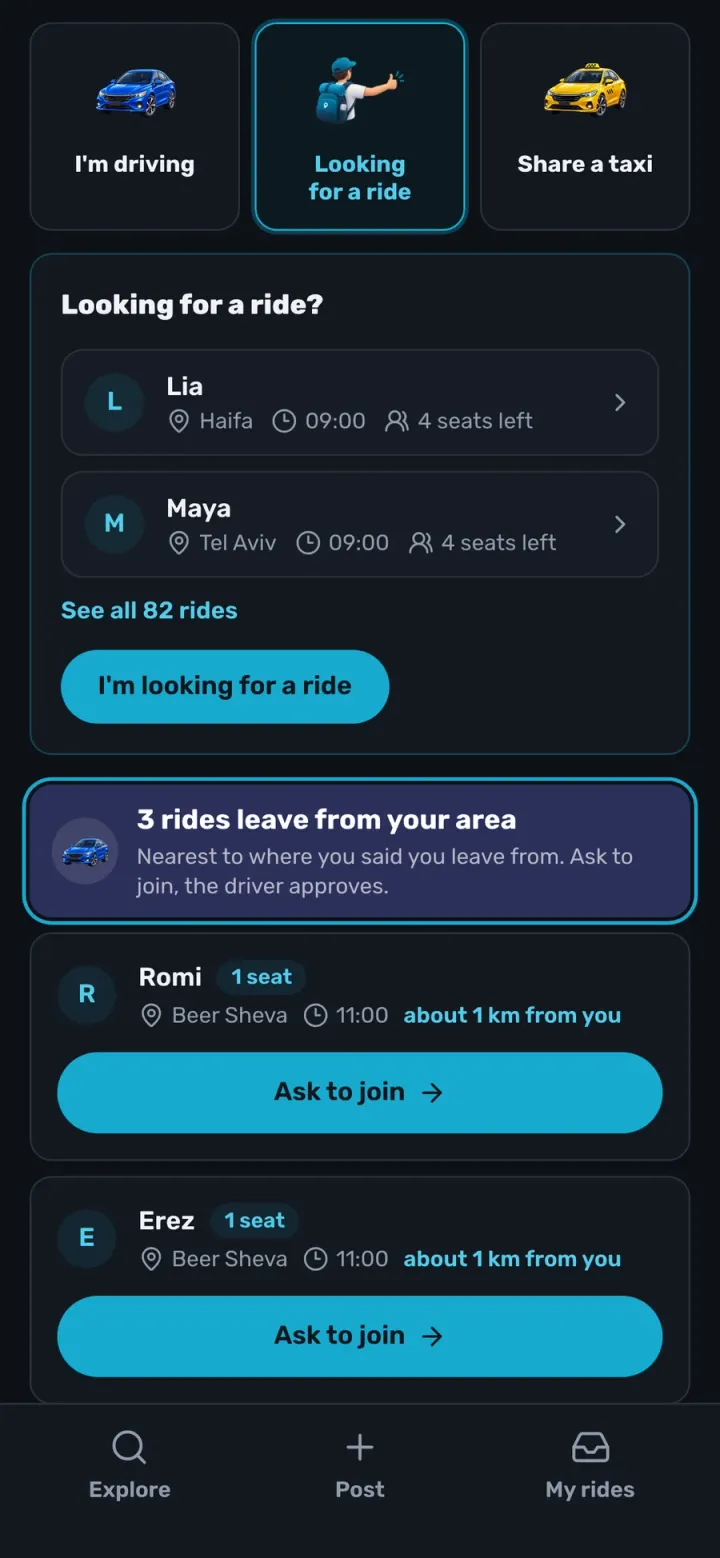
A ride board replaces the coordinator’s matching with people finding each other. With PairMee, the organizer shares 1 link, in the ticket email, the event page or a group chat. Drivers going to the event post their free seats, there and back. People without a car ask to join a ride from their area, and the driver approves each request. Phone numbers are not posted on a list. There is nothing to integrate, and the organizer dashboard shows totals by area and by day, never names.
At a 3-day festival in October 2026, 68 people joined the board and 31 people were matched with a ride.
A board does not create drivers, and it cannot promise every rider a seat. It works best when drivers are asked early. It is not worth it for a group of 20 friends: use the sheet above.
Your first event is free, then boards start from $299 per event, and attendees pay nothing. See how it works for events, our prices, or how a sheet compares with a group chat and an app in how to organize rides for a group trip.